HOW IT WORKS
How customers pay
01Choose a coin and network
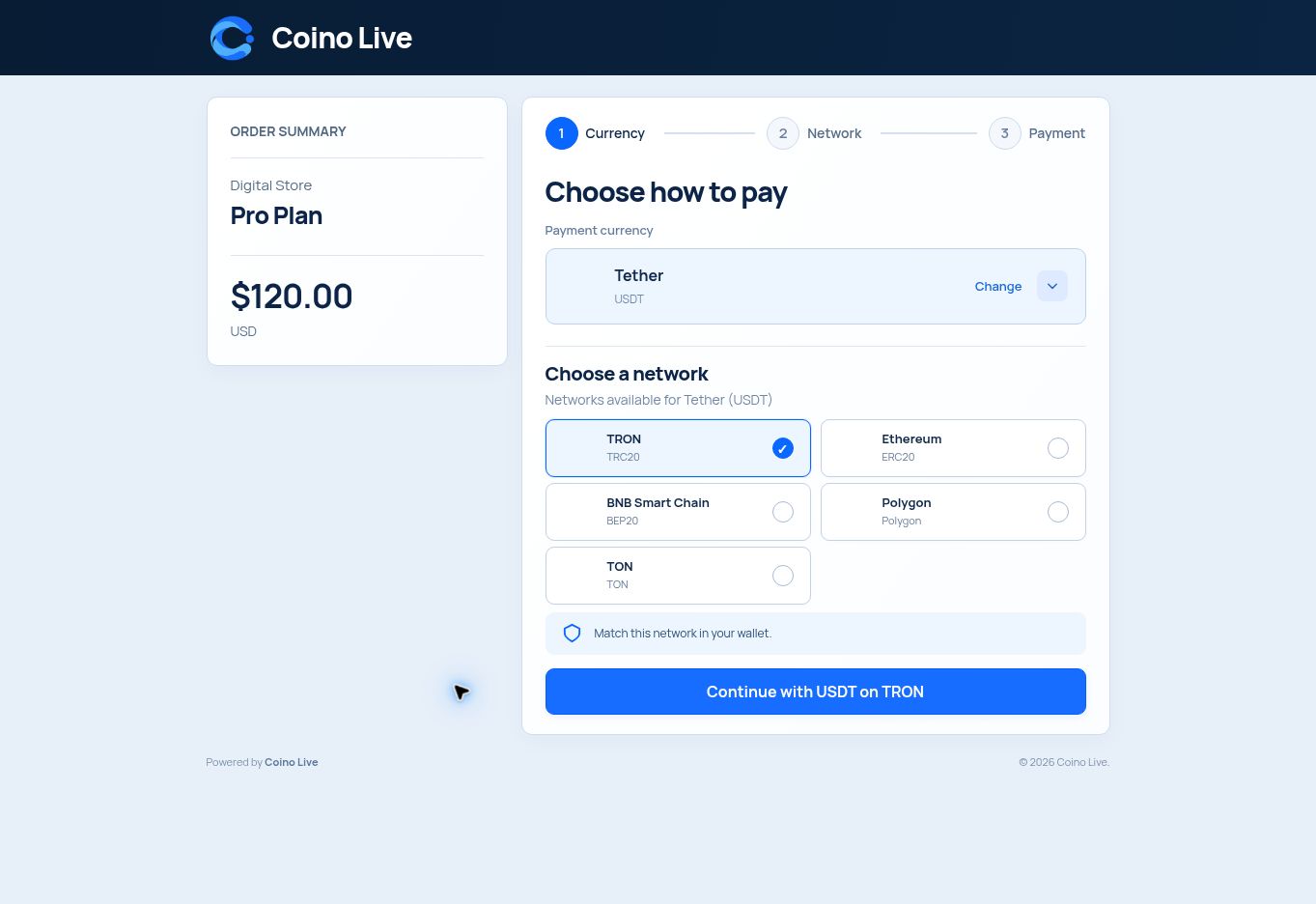
At checkout, customers choose "Pay with crypto". On the Coino Live payment page they pick a coin and network and send the amount shown.
Shop prices in USD, EUR, GBP, TRY, BRL, RUB and more are converted at the current rate, so your store keeps its existing currency. If a customer sends too little, they are told exactly how much is still missing and can send the rest.
02Supported coins and networks
There are 94 coin and token assets, including USDT and USDC, on these 11 networks: Bitcoin, Litecoin, Ethereum, BNB Smart Chain, Polygon, Base, Arbitrum One, opBNB, TRON, Solana, TON.
03Block checkout, classic checkout and HPOS
The plugin works with both the block checkout and the classic checkout, and supports High-Performance Order Storage (HPOS).
ORDER STATUS
Order status updates by itself
01On hold
As soon as the payment is seen on the network.
02Processing
Once the payment is confirmed. Virtual products move to Completed.
03Failed
If the payment window closes unpaid. The customer can pay again from their account.
04Why you can trust the status
Order status always comes from the Coino Live API, never from the content of a callback. You can also add an optional webhook signing secret (whsec_...) so that callbacks with a wrong signature are refused. If callbacks cannot reach your site, open orders are still checked every five minutes and whenever the customer returns to the shop.
FEES
Fees, balance and withdrawals
The plugin and the Coino Live account are free. Coino Live charges a 0.25% platform fee per payment, and blockchain network fees are separate. In the Coino Live gateway settings, you choose who pays the network fee: the customer (the fee is added to the amount) or you (the fee is deducted).
Payments are credited to your Coino Live balance. You withdraw them to your own wallet from the Coino Live dashboard. Inside WordPress, the WooCommerce > Coino Live page shows your balance and every payment of the shop with its transactions.
QUESTIONS, ANSWERED
Frequently asked questions
Where do I download the plugin?
From the Platform integrations section of the Coino Live API documentation. It is a free zip file.
Do I need to set up a callback URL?
No. It is sent with every payment. If callbacks cannot reach your site, open orders are still checked every five minutes and when the customer returns to the shop.
How do refunds work?
Refunds are not automatic. You send them from your Coino Live balance.
Does it work with the block checkout and HPOS?
Yes. It works with the block checkout, the classic checkout and High-Performance Order Storage.
PLATFORM INTEGRATIONS
Not using WooCommerce?
Ready-made plugins are also available for WHMCS, OpenCart 4, Shopware 6, PrestaShop, Easy Digital Downloads and GiveWP. Developers can build their own integration with REST API v2 or the PHP, Node.js and Python SDKs. Crypto payment gateway