
Version
1.0.0, free zip download. It is not listed in the Shopware Store.
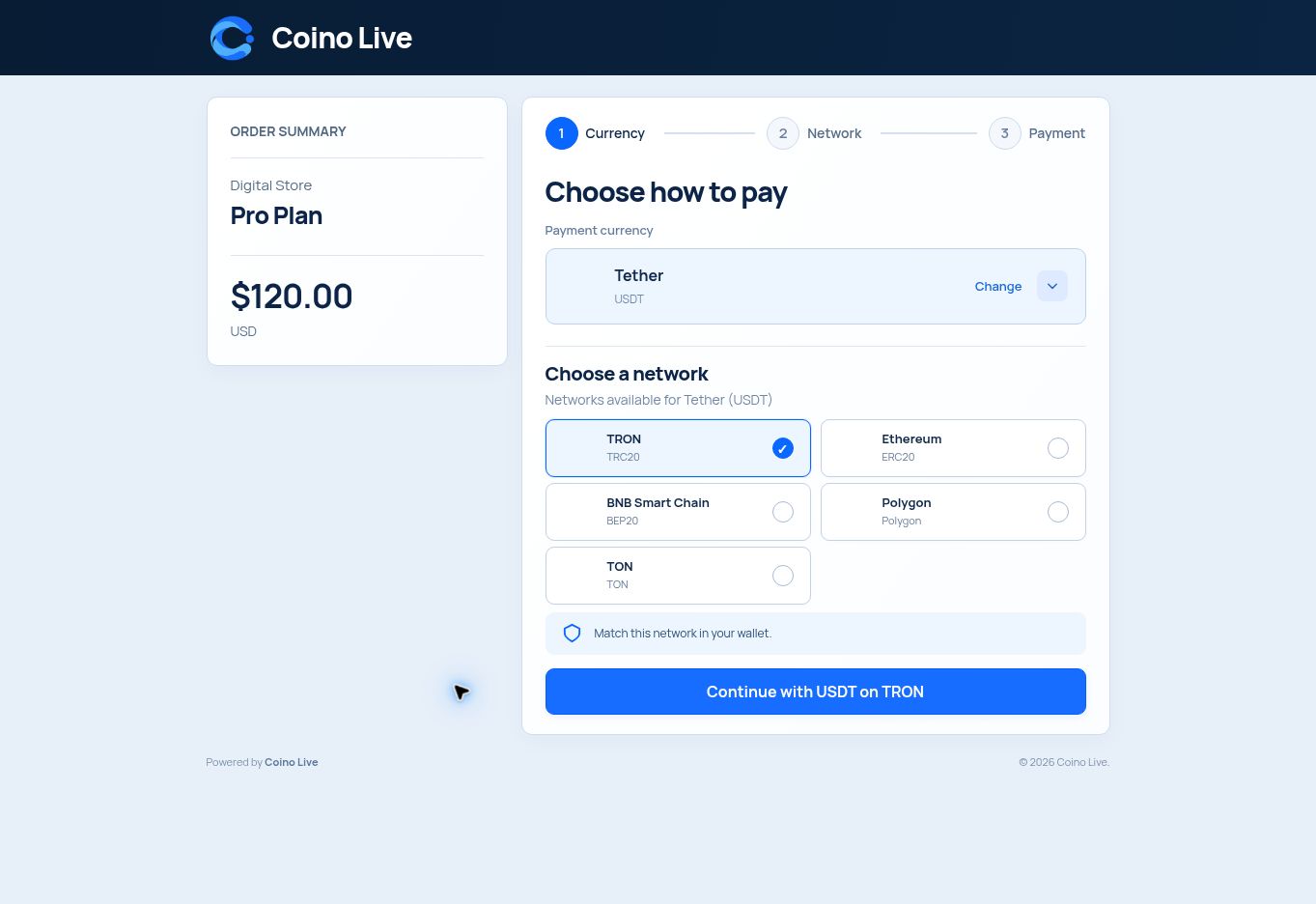
Coino Live's free Shopware 6 plugin adds a crypto checkout to your store. Customers can pay with 117 coin and token assets on 11 networks, including Bitcoin, Ethereum, USDT and USDC. They choose their coin and network on a hosted payment page, and the order's payment status in Shopware updates automatically.
1.0.0, free zip download. It is not listed in the Shopware Store.
Shopware 6.6.5 or newer (Shopware 6.6 and 6.7) and PHP 8.2 or newer.
English and German.
Free, no KYC. Accounts are opened without identity verification.
0.25% platform fee per payment. Blockchain network fees are separate.
Download the Shopware 6 plugin (coinolive-shopware-1.0.0.zip). The same download is also listed in the Platform integrations section of the API guide.
There is nothing else to configure:
Before offering the payment method to customers, place a test order. Confirm that checkout and payment-status updates work correctly in your store.
Create a free Coino Live account if you don't have one. Then copy your API key from the Coino Live dashboard under Developers.
In the Shopware admin, go to Extensions > My extensions > Upload extension. Choose the zip, then click Install and Activate.
Open the plugin configuration and paste your API key.
Go to Settings > Shop > Payment methods. Check that Coino Live (crypto) is active, then add it to your sales channel.
At checkout, the customer is sent to the Coino Live hosted payment page to choose a coin and network. The order's payment status then updates automatically:
The payment has been sent and is waiting for confirmations.
Only part of the amount has been received.
The payment has been received and confirmed.
The payment expired without payment. The customer can pay again.
Every status change comes from the payment as read back from the Coino Live API with your key. It never comes from the webhook content alone, so a forged webhook cannot mark an order paid. An optional webhook signing secret adds a signature check.
Customers can pay with 117 coin and token assets, including USDT and USDC, across 11 networks:
Store prices can be in USD, EUR, GBP, TRY, BRL, RUB and other currencies Coino Live supports. If the cart currency isn't supported, the customer is asked to choose another currency or payment method.
Payments are credited to your Coino Live balance, and you withdraw them to your own wallet. In the Shopware admin, Orders > Coino Live shows your Coino Live balance and the shop's payments. Each payment links to its order and to the blockchain explorer.
No. Download the zip from Coino Live and upload it under Extensions > My extensions.
Yes. The plugin uses the API key from your Coino Live dashboard (Developers). The account is free and is opened without identity verification.
Shopware 6.6.5 or newer, which covers Shopware 6.6 and 6.7. The plugin also requires PHP 8.2 or newer.
No. The webhook URL is sent with every payment, and open payments are re-checked every five minutes.
The plugin and the account are free. Coino Live charges a 0.25% platform fee per payment, and blockchain network fees are separate.
Choose the service that fits the way you work.